Trail navigation apps are now part of everyday hiking. Most Australian hikers I know carry a phone loaded with maps, GPS tracking, route planning, and trail notes, all in one place. Used well, that combination genuinely improves planning, awareness, and confidence. Used poorly, it creates a false sense of security and contributes to real navigation errors, and that gap between the two is what I want to work through here.
What trail navigation apps are
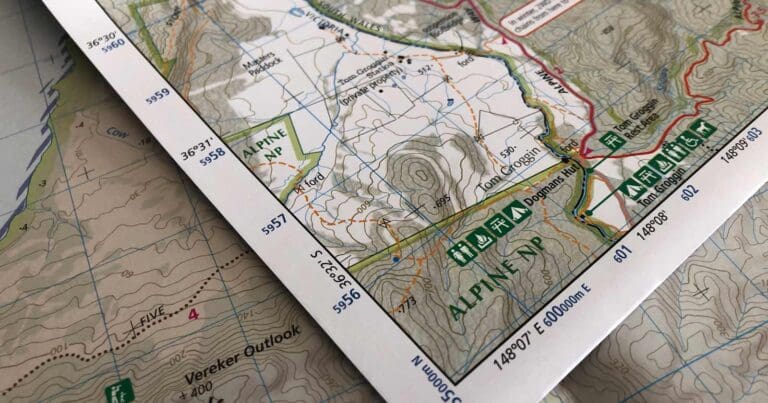
Trail navigation apps are smartphone applications that display digital maps and use the phone’s GPS to estimate your location. Most let you view topographic maps, record your track, plan routes, and download maps for offline use.
They rely on several systems working together: satellite signals for GPS positioning, mapping data stored on the device, and the phone’s battery and sensors. If any one of these fails, the app’s usefulness drops sharply, and that dependency is the real difference between an app and a traditional map and compass. A map doesn’t need a signal or a charge to keep telling you the truth.
What trail navigation apps do well
Navigation apps are genuinely good at preparation and situational awareness. I use mine before I leave home to look over terrain, visualise elevation changes, estimate distances, and pick out access points and track junctions. On the trail, an app can confirm your approximate position and show how far you’ve travelled, which is reassuring when landmarks aren’t obvious.
That’s where I find them most useful: checking route options and alternatives before a hike, recording a track for later reference or sharing, confirming position when visibility is poor or landmarks are unclear, and keeping an eye on distances and remaining elevation on a long day. Used this way, apps reduce uncertainty and support better decision making, rather than making the decisions for you.
Why accuracy is not guaranteed
GPS positioning on a phone is an estimate, not a fixed truth. Under ideal conditions it can be very good. Under real hiking conditions it can drift, jump, or lag behind your actual position, because accuracy depends on tree cover, steep terrain, narrow valleys, cloud cover, phone orientation, and the quality of satellite reception at that moment. In Australian bushland, dense forest and gullies commonly reduce accuracy, so the reading in front of you is rarely as precise as it looks.
A common mistake is assuming the blue dot on the screen is exact. In reality, it may be tens of metres off. On formed tracks this usually doesn’t matter. Off track, near cliffs, creeks, or indistinct spurs, it can be critical, which is why I treat the dot as a rough indication and check it against what I can actually see before I trust it.
Crowd sourced routes and trail data
Many navigation apps include routes, distances, difficulty ratings, and track notes created by other users. That information can be useful, but it isn’t verified and it can be inaccurate or out of date.
User uploaded routes may follow tracks that are closed, overgrown, informal, or no longer exist. Some pass through private property, fire damaged areas, or sections that were never intended as public walking tracks. Distances and elevation figures are often based on someone else’s recorded GPS track rather than measured mapping data, which means the lengths and times shown can be significantly wrong. Difficulty ratings are subjective too, because what feels straightforward to an experienced hiker may be challenging or unsafe for someone else, particularly in Australian conditions where heat, exposure, and remoteness do most of the work.
Treating a user uploaded route as a reliable description of what’s on the ground is the same trap in a different form. These routes reflect one person’s experience at one moment in time. Conditions change, access changes, and errors get copied and repeated every time someone follows the same track without checking it. Crowd sourced information should be treated as a rough guide only, checked against topographic maps, official sources, current access information, and what you can physically see on the ground.
Battery dependence and power failure
Unlike a map and compass, a navigation app only works while the phone has power. Cold conditions, constant screen use, GPS tracking, and background apps all drain batteries faster than most people expect, and this is the failure I think hikers underestimate most. Once the phone is flat, the app gives you nothing at all.
Power banks help, but they introduce another dependency. Cables fail, power banks get left behind, and charging takes time you may not have. None of that should be relied on as your only navigation solution.
Offline maps and data assumptions
Many apps let you download maps for offline use, which matters in Australia because mobile coverage is unreliable or nonexistent across a lot of hiking country. But offline use only works if the correct maps were actually downloaded before leaving home. I’ve seen people assume maps are available offline when they aren’t, or discover partway through a hike that only part of the area was saved.
Even offline maps still rely on GPS, so they don’t remove the risk of battery loss or GPS inaccuracy. They solve one problem, not all of them.
Over reliance and skill erosion
The biggest risk with navigation apps isn’t technical, it’s behavioural. Relying on a phone for navigation, hike after hike, weakens your ability to read terrain, interpret contours, and keep track of direction and position on your own. When something goes wrong, a flat battery, a confusing track junction, hikers who haven’t practised traditional navigation are slower to recognise the problem and harder pressed to recover from it. That’s exactly why I treat an app as something that supports judgement, not something that replaces it.
Using navigation apps as a support tool
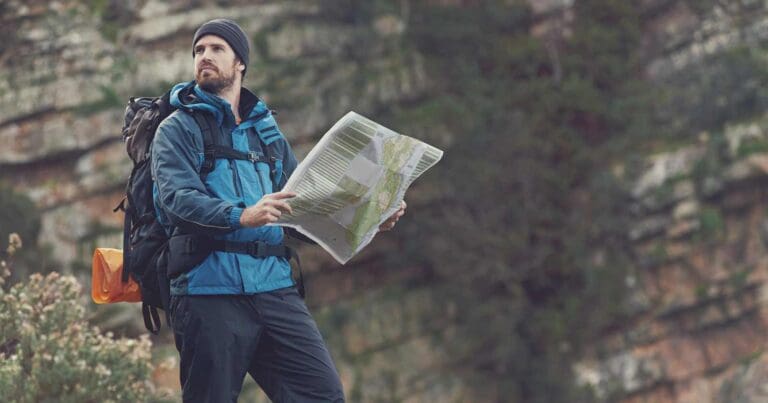
The way I use a navigation app is as a secondary reference alongside a map and compass. It confirms what I already believe to be true, rather than telling me where I am from scratch. I orient myself with the map and terrain first, then check the app to see whether my reading matches the digital position. If they disagree, I stop and work out why before I go any further. That habit builds confidence without handing control over to the screen.
Australian specific considerations
Australian hiking conditions amplify both the strengths and weaknesses of navigation apps. Tracks can be faint, poorly marked, or intermittently maintained, and fire trails, management roads, and animal pads can all look convincing both on the ground and on some digital maps. Remote areas often go without mobile coverage for days at a time, heat increases battery drain, and bushfire impacts can alter tracks faster than mapping data gets updated. All of that means a navigation app has to be checked against the terrain you can actually see, every time, rather than trusted by default.
Where apps go wrong most often
The patterns that show up again and again in navigation incidents involving apps tend to repeat themselves: treating the app as the primary navigation tool, not downloading maps for offline use, ignoring discrepancies between the app and the terrain, continuing on despite uncertainty because the screen looks confident, and carrying no backup navigation tools at all. None of these are really about the technology failing. They’re about trusting it further than it can actually take you, and avoiding them matters more than which app you choose.
When apps genuinely add safety
Navigation apps are most valuable as part of a broader system. Combined with a paper map, a compass, proper route planning, and conservative decision making, they can improve confidence and catch small errors before they become big ones. I find them particularly useful for confirming position during a relocation, checking distance remaining late in the day, or reviewing where I actually went if plans change. Used that way, they add to safety instead of becoming a liability.
Trail navigation apps are powerful tools, but they aren’t navigation systems on their own. They depend on batteries, satellites, software, and user behaviour, and any one of those can fail on you. For Australian hikers, the safest approach is still the simple one: carry a map and compass, know how to use them, and treat your navigation app as a support tool that confirms and complements your judgement rather than replacing it.




What do you think is more important for a safe hiking experience: the convenience of trail navigation apps or traditional navigation skills like using a map and compass?
Trail Hiking Australia navigational skills , when the batteries fail, or things white out, then it’s time to fall back to basic outdoor skills.
Trail Hiking Australia The way you phrase it answers itself! 🧭
Trail Hiking Australia I’m a fan of both. GPS devices give one set of data points but also using a map and compass to cross reference your solution is a great way to make sure you’re literally on the right track.
A lot of compasses have a ± 2 to 5° margin of error (and if you mess up the declination calculation, you’d add even more error) and GPS can have anywhere from a ± 2 to 20m margin of error.
You shouldn’t just rely on a single source of navigation aids IMHO.
Trail Hiking Australia I use both. Map and compass to plan and app out in field to monitor progress.
Note when recovery lost or injured hikers tend to use an app due to urgency with map backup.
My preferred approach is hybrid, use a paper map but a gps to get my the location when I need it.
Either, neither, both …… Most important is serious study and familiarisation with the area and terrain along with an ability to direction find (not always possible) without either a compass or a device. What are the boundaries of the area you are walking in and if you encounter one what is your way out from there.
.
A PLB ranks higher still (Y)
Peter Dohnt love your approach. I also really enjoy studying the map/s beforehand.
We use both, largely because we’re mostly well off-piste, and in thick forested mountain terrain. So easy to get disoriented and lost, eh. We’re doing a hike tomorrow and being well away from mobile reception, Gaia, stored maps, battery pack and compass are what we’ll be using to explore a couple of new side valleys under Black Bluff. Oh, and the snake kit – the tigers have woken up, damn it.
Ben Marshall I’m going to have to join you one day on a trip around Black Bluff.
You’d be very welcome. The forests here, those still left or mature regenerating, are beautiful, and there are plenty of day walks or longer.
To me the issue with apps they are point and shot, no planning required. Map, compass and route card means you have reviewed and considered the trek.